Control Drive V2
The first part of this project was done here
Check out the current project on Github
In this version, I implemented a modular control architecture with multiple input sources (keyboard, gamepad (PS4), and script) that all publish to a common /cmd_vel topic. A relay node then forwards these commands to the robot’s controller topic. This allows for easy addition of new control methods without modifying the core robot logic.
Requirements Link to heading
- ROS2 Humble
- Ignition Fortress (Gazebo)
- Python 3.10+
Building Link to heading
colcon build && source install/setup.bash
Launching the Simulation Link to heading
ros2 launch control_drive gazebo.launch.py
Launching RViz Link to heading
ros2 launch control_drive display.launch.py
Change Fixed Frame in Global Options to
odom
Control Modes Link to heading
This package uses a modular control architecture. All input sources publish
to /cmd_vel which is relayed to the robot via a cmd_vel_relay node.
To add a new input source, inherit from RobotController and implement run().
[keyboard / gamepad / script]
            ↓
         /cmd_vel
            ↓
       [cmd_vel_relay]
            ↓
/control_drive_controller/cmd_vel_unstamped
            ↓
    [diff_drive_controller]
            ↓
       [Gazebo Robot]
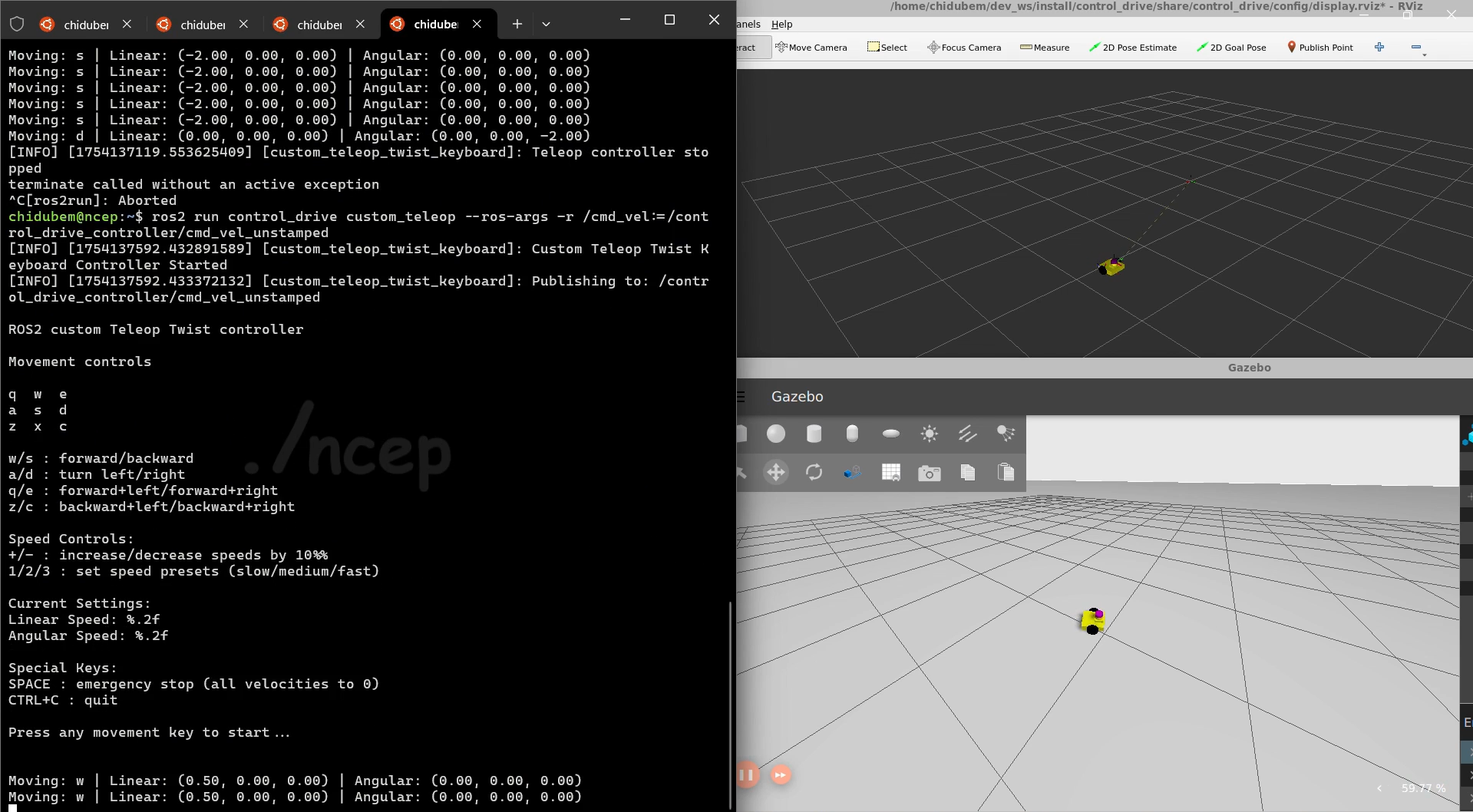
Keyboard Controller Link to heading
Full keyboard teleoperation with speed presets and emergency stop.
ros2 run control_drive keyboard_controller
| Key | Action |
|---|---|
w | Forward |
s | Backward |
a | Turn left |
d | Turn right |
q/e | Forward + left/right |
z/c | Backward + left/right |
+/- | Increase/decrease speed by 10% |
1/2/3 | Speed presets (slow/medium/fast) |
SPACE | Emergency stop |
CTRL+C | Quit |
Gamepad Controller Link to heading
Works with any HID gamepad — PS4, PS5, Xbox, or generic controllers. Auto-detects the connected device and runs a one-time calibration to map axes.
ros2 run control_drive gamepad_controller
| Input | Action |
|---|---|
| Forward/backward stick | Linear speed |
| Turning stick | Angular speed |
| R2 / RT | Increase speed (up to 2x) |
| L2 / LT | Decrease speed (down to 0.3x) |
| L2 + R2 together | Emergency stop |
| OPTIONS / START | Quit |
First run: calibration wizard runs automatically and saves mapping to
~/.ros/gamepad_mapping.json. Subsequent runs load the saved mapping instantly.
To recalibrate:
rm ~/.ros/gamepad_mapping.json
ros2 run control_drive gamepad_controller
Launch file (handles permissions + starts node):
ros2 launch control_drive gamepad.launch.py
WSL2 users: Run this first in PowerShell (Admin) before launching:
usbipd attach --wsl --busid <your-busid>Find your busid with
usbipd list.
Script Controller Link to heading
Write autonomous robot behaviors directly in Python. No keyboard or gamepad needed — the robot executes your script automatically.
ros2 run control_drive script_controller
Edit control_drive/script_controller.py and write your behavior inside run():
def run(self):
    self.move_forward(speed=0.5, duration=2.0)
    self.turn_left(speed=1.0, duration=1.57)   # ~90 degrees
    self.stop()
Available helpers:
| Method | Description |
|---|---|
move_forward(speed, duration) | Move forward for N seconds |
move_backward(speed, duration) | Move backward for N seconds |
turn_left(speed, duration) | Turn left for N seconds |
turn_right(speed, duration) | Turn right for N seconds |
pause(duration) | Stop and wait for N seconds |
send_command(linear, angular) | Direct velocity command |
stop() | Immediate stop |
Architecture Link to heading
| File | Purpose |
|---|---|
robot_controller.py | Base class — publisher, safety limits, speed helpers |
keyboard_controller.py | Keyboard input source |
gamepad_controller.py | Generic gamepad input source with auto-calibration |
script_controller.py | Script-based autonomous control |
cmd_vel_relay.py | Relays /cmd_vel → /control_drive_controller/cmd_vel_unstamped |
Manual Testing Link to heading
Test velocity directly without any controller:
ros2 topic pub /cmd_vel geometry_msgs/msg/Twist \
  "{linear: {x: 1.0, y: 0.0, z: 0.0}, angular: {x: 0.0, y: 0.0, z: 0.5}}"
Or using the original unstamped topic directly:
ros2 topic pub /control_drive_controller/cmd_vel_unstamped geometry_msgs/msg/Twist \
  "{linear: {x: 1.0, y: 0.0, z: 0.0}, angular: {x: 0.0, y: 0.0, z: 0.5}}"